

Running a consignment shop means knowing who owns every sweater, chair and handbag on the floor. Then you have to split each sale correctly and pay each consignor on time. A spreadsheet can handle that for a while, but mistakes pile up as the shop grows. This guide shows what consignment store software does, how three dedicated tools compare, and how a WooCommerce setup stacks up.
TLDR
- Consignment store software links each item to its consignor, applies the agreed split at the time of sale, and totals what you owe.
- Clothing shops commonly use a 60/40 split that favors the consignor, according to PuppetVendors and Resalepedia, though ranges change by category.
- ConsignCloud, SimpleConsign and Ricochet are built for consignment, and their listed plans run from $99 to $359 a month as of November 4, 2026.
- A WooCommerce setup with Dokan (consignors as vendors) and wePOS (counter checkout) can work for shops already on WooCommerce, but neither is built as consignment software.
- The right pick depends on how many items you take in, whether you sell online, and how often you pay out.
How Consignment Selling Works
A consignment sale moves through five steps, from intake to payout.
- Intake. You record each item against a consignor account, with a price and the agreed split.
- Sale. The counter or web store sells the item, and the system logs which consignor owns it.
- Split. The system works out the shop’s share and the consignor’s share.
- Payout. You pay the balance by check, bank transfer, cash or store credit.
- Aging. Items that do not sell get marked down, returned or donated, based on your contract.

How We Checked These Options
We read each vendor’s own pricing page on November 4, 2026, and we read the Dokan and wePOS product and pricing pages the same day. We did not run a hands-on test of any tool. Split ranges come from public guides, and we name each one in the text. Plans change often, so confirm every price before you buy.
Consignment Split Percentage: What Shops Pay
Most clothing shops use a 60/40 consignment split percentage that favors the consignor, though the right number depends on what you sell.
“Most consignment shops charge a commission of 30% to 50% of the sale price, so the consignor keeps 50% to 70%.”
PuppetVendors, consignment commission rates guide
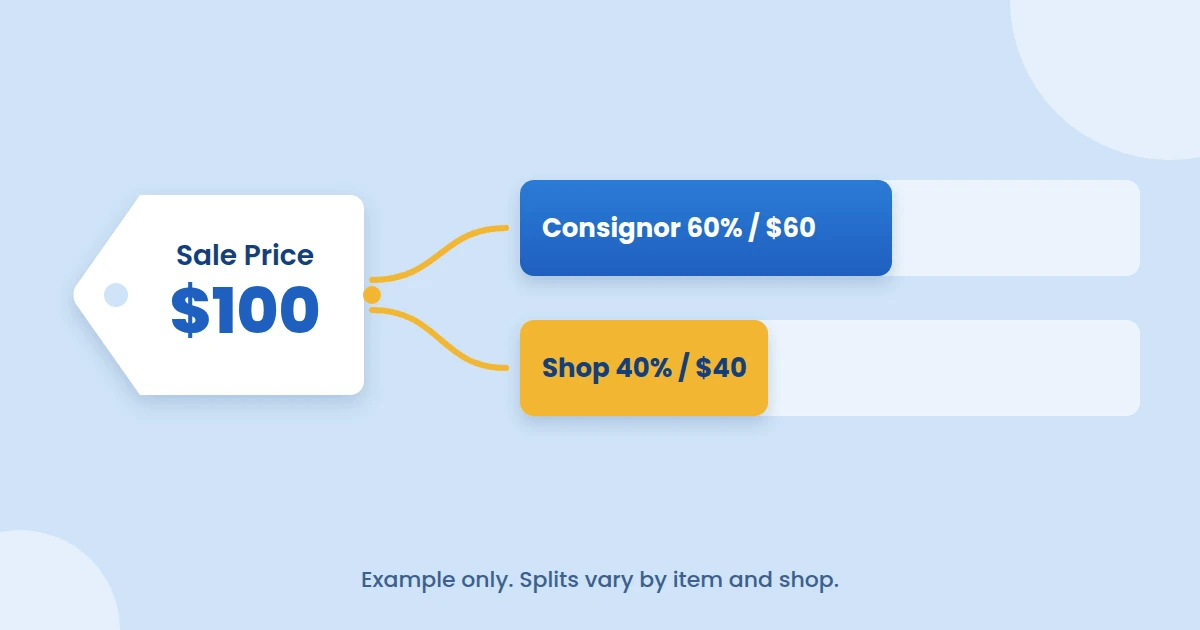
Resalepedia gives these ranges for the consignor’s share, and calls them a benchmark rather than a ceiling or a floor.
- Value clothing pays the consignor 40% to 50%.
- Mid-range clothing pays 50% to 60%.
- Furniture and sporting goods pay 50% to 70%.
- Luxury goods and collectibles pay 60% to 90%.
Write down whose number comes first. Resalepedia and PuppetVendors list the consignor’s share first, but some shops quote the store’s share instead. Many shops also use tiers, so a higher-priced item pays the consignor a bigger cut. If you also sell online, our guide on how marketplaces make money explains the commission models behind those tiers.
What Consignment Store Software Must Do
Good consignment store software does six jobs.
- Consignor accounts. One record per consignor, with contact details, contract terms and a running balance.
- Item tracking. Every item tied to a consignor and a scannable tag.
- Automatic splits. The shop and consignor shares calculated at the sale, including tiers.
- Payout handling. Balances, statements and a way to pay many consignors at once.
- Aging rules. Markdowns or returns for items that sit too long.
- One stock record. The same inventory for the counter and the web store.
Consignment Inventory Tracking Starts at Intake
Consignment inventory tracking works only if every item gets a tag at intake. The tag ties the item to one consignor, so a sale at the counter credits the right person. Without it, you end up searching notes to work out who owns a sold lamp.
Splits and Statements Should Run on Their Own
The software should apply the split without you touching a calculator. A consignor statement should list each sold item, its price, the split and the payout amount. That statement answers most “where is my money” calls before they happen.
A Consignment Shop POS Reads the Tag at the Counter
A consignment shop POS scans the item tag, rings the sale and updates the consignor’s balance in the same step. If you also sell online, check that the web store reads from the same stock list. Two separate lists lead to the same item selling twice.
Dedicated Consignment Store Software Compared
ConsignCloud, SimpleConsign and Ricochet are three dedicated options, and their listed plans run from $99 to $359 a month. All prices below are in US dollars from each vendor’s pricing page on November 4, 2026.
| Option | Listed plans | Consignor portal | Online store link | Worth noting |
|---|---|---|---|---|
| ConsignCloud | Basic $139, Pro $189 per location, Enterprise custom | Pro and above | Shopify and Square integrations on Basic | ACH payouts cost $2.50 each |
| SimpleConsign | Basic $159, Standard $259, Professional $359 | Standard and above | Shopify and QuickBooks on Professional | ACH consignor payments start at Standard |
| Ricochet | Core $99, Reach $149, Lead $199, Custom | Consignor login in the feature grid [VERIFY tier] | eCommerce add-on included in Reach and Lead | Card rates fall from 3.29% + 10¢ on Core to 2.69% + 10¢ on Lead |
| Dokan and wePOS on WooCommerce | Dokan Lite free, Pro from $149 a year. wePOS free plan, paid from $99 a year | Vendor dashboard for each consignor | Same WooCommerce store | Not built for consignment |
Two columns decide most purchases. The first is which plan unlocks the consignor portal. The second is what each payout and card transaction costs you.
ConsignCloud Suits Single-Location Shops
ConsignCloud gives you unlimited accounts, items, sales and users on every plan, with no long-term contract and a free data import. The consignor portal needs Pro, and Pro is priced per location. Pick it if you run one store and want predictable pricing. Look elsewhere if you need a portal on a small budget.
SimpleConsign Adds Features Tier by Tier
SimpleConsign builds up from Basic to Professional, with free data migration and a separate plan for vendor malls. ACH payouts and the portal both sit above the entry plan. The Professional intro price of $99 a month lasts “6 months or $50K in sales, whichever comes first”, then reverts to $359. Pick it if you want Shopify and QuickBooks links and can budget for the higher tiers.
Ricochet Has the Lowest Entry Price
Ricochet includes unlimited users, items and devices on every tier, and Core starts at $99 a month. Card-processing rates differ by tier, and keeping your own processor costs an extra $100 a month on Lead or Custom. Third-party review sites list older Ricochet prices, so check the vendor page. Pick it if low entry cost matters most and you can live with its processing rates.
Run Consignment on WooCommerce With Dokan and wePOS
A WooCommerce store can model consignment by treating each consignor as a vendor and running the counter on a POS. This route suits a different shop than the tools above.
Each consignor becomes a vendor in Dokan, with a dashboard and a commission rate that stands for the shop’s share. Our Dokan plugin review covers the plugin in more depth. The counter runs on wePOS, which connects a physical counter to WooCommerce so in-store and online sales share one product list.
- Splits. Dokan’s pricing page lists multiple commission types from the Starter plan at $149 a year for one site. Dokan Lite is free and does not include them.
- Payouts. Every Dokan tier lists a vendor withdrawal system. Auto withdrawal disbursement starts at Starter. Gateway modules such as Stripe Connect start at Professional, which costs $249 a year for three sites.
- Counter. The free wePOS plan lists a cashier screen, real-time WooCommerce sync and receipt printing. Outlets, cashier assignment and card payments need a paid plan, which starts at $99 a year for one site.
- Barcodes. The wePOS page lists barcode scanner support. It does not describe printing consignor item labels [VERIFY].
The real limits are plain. Neither Dokan nor wePOS is built as consignment software, and the product pages do not describe consignor contracts, item aging or automatic markdowns [VERIFY]. You would handle those outside the plugins, or add other tools. The wePOS page also never mentions offline mode, so test your internet connection at the counter first. For other multivendor plugins, see our list of the best multi-vendor plugins.
How to Pay Consignors
The best way to pay consignors is on a fixed schedule, with a statement of every sold item attached.
- Pick one schedule and keep it. Weekly and monthly are both common [VERIFY].
- Set a minimum balance, so you are not cutting checks for a few dollars.
- Offer store credit as an option, and record the consignor’s choice in writing.
- Check the cost of each payout method. ConsignCloud charges $2.50 per ACH payout, which adds up across 200 consignors paid monthly.

How to Choose Between the Two Routes
Answer these five questions in order, and the right route usually becomes clear.
- How many items do you take in each week? Dozens a day point to dedicated software with tags and aging built in.
- Do consignors need to see their own sales? If yes, price the portal tier of each tool.
- Do you sell online as much as in store? A busy web store favors a platform that already runs on WooCommerce.
- How many consignors do you pay each cycle? Per-payout fees grow with this number.
- Do you have someone to set up and maintain WordPress? Dedicated tools are hosted for you, while the WooCommerce route is yours to run.
Consignment Shop FAQ
Who pays the card processing fee on a consignment sale?
Many shops deduct the card fee before the split, so the fee comes out of both shares. PuppetVendors reports typical fees of 2.6% to 3.5% on Shopify. Put your rule in the consignor contract.
Can Square run a consignment shop?
Not on its own. One comparison from Circular says Square has no native consignment tools or automated payouts, and that a paid add-on called Rose for Square fills the gap [VERIFY]. Check the add-on’s current price and reviews first.
When does a spreadsheet stop working?
A spreadsheet stops working when you cannot match a sold item to its owner without searching. Wrong splits and late payouts usually follow. Moving to software before that point costs less than repairing consignor trust afterward.
Should I charge consignors a fee for unsold items?
Some shops do, but it is optional. PuppetVendors says some stores charge $2 to $10 per unsold item. State any fee in the contract before intake.
Pick the Right Consignment Store Software for Your Intake Volume
List your weekly item intake, your consignor count and your online sales share, then price both routes with those numbers. Start a free trial of a dedicated tool, or test the WooCommerce route on a staging site with Dokan Lite and the free wePOS plan. Whichever you choose, write the split rules into a contract before the first item arrives.


